

What is tuckit?
If you build software with AI agents, and especially if more than one person on your team does, this will be familiar.
On Monday you and your AI agreed to fix one thing later, and never to touch another. On Tuesday a teammate’s agent picked up the same code. Nobody told it either thing. Both agents did good work, and the two pieces do not fit. When someone asks whether the feature is done, the answer is spread across two chat windows, and they disagree.
tuckit is a web page where those decisions get written down, along with what would count as done for each piece of work and what somebody actually saw when they checked. You can open it and read it. Every agent on the team opens the same page and writes to it directly.
Here is what it looks like
Section titled “Here is what it looks like”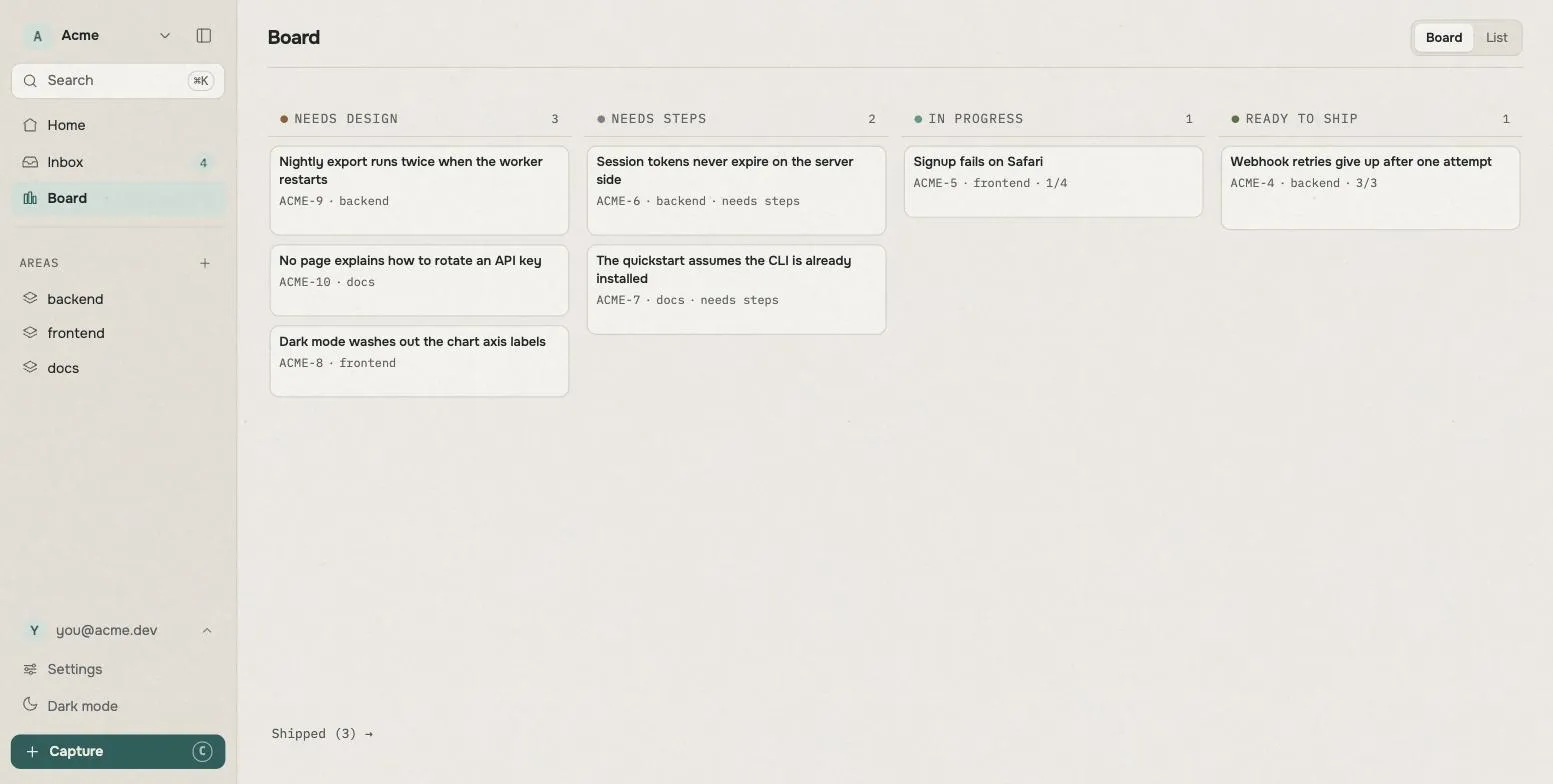
Everything you are building sits here as a card. The further right, the closer to finished.
- Needs design: you have decided to do it, but not what to build
- Done when?: you know what to build, but not what would settle that it is finished
- In progress: there is a target, and nobody has met it yet
- Ready to ship: somebody went and looked, and wrote down what they saw
You cannot drag these cards. When the contents change, tuckit moves them. So you never have to wonder whether a card is in the right column: nothing put it there except what is inside it.
Open one card
Section titled “Open one card”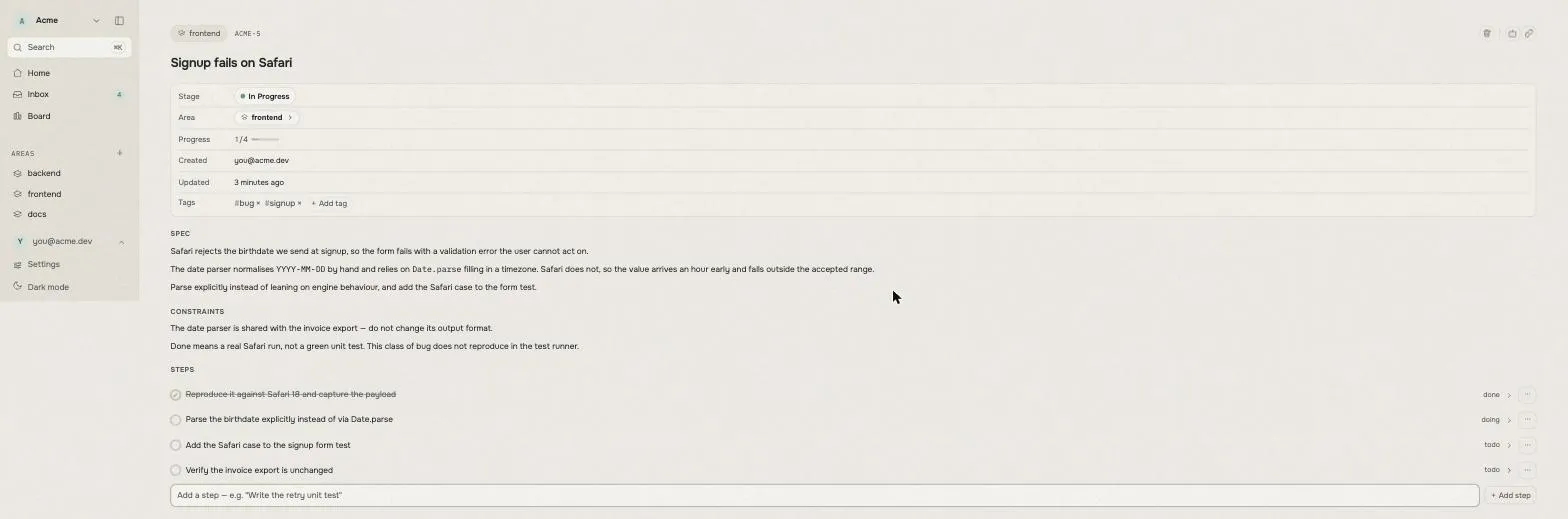
A card is one piece of work. tuckit calls it a slice (Slice). The name
does not matter much; what is inside it does. There are four boxes.
What we’re building. Labelled Spec on screen. Leave it empty if you
haven’t decided yet. Empty is the signal that says nobody has worked this out.
Filling it in to make the card look finished just teaches your AI that the
thinking is done.
What must not break. Labelled Constraints. Sentences like “don’t touch
the payment code” or “leave the login screen design alone”. This is the first
thing an AI reads when it picks the work up.
How we’ll know. Labelled Done when. One sentence saying what somebody
would have to see to call this finished. “Run the tests” is a command and a
card can satisfy it while the thing is still broken; “a date survives a save
and a reload” is a sighting, and it can turn out to be false. Write it before
the work, so it is a target the work can miss.
What was actually seen. Labelled Evidence. Filled in after somebody went
and looked. tuckit does not judge it — it cannot run your tests — but it will
not let a card be called finished while this box is empty.
Underneath, a running log (Activity) collects what actually happened: what
was tried, what broke, where it landed.
When you don’t know where something belongs
Section titled “When you don’t know where something belongs”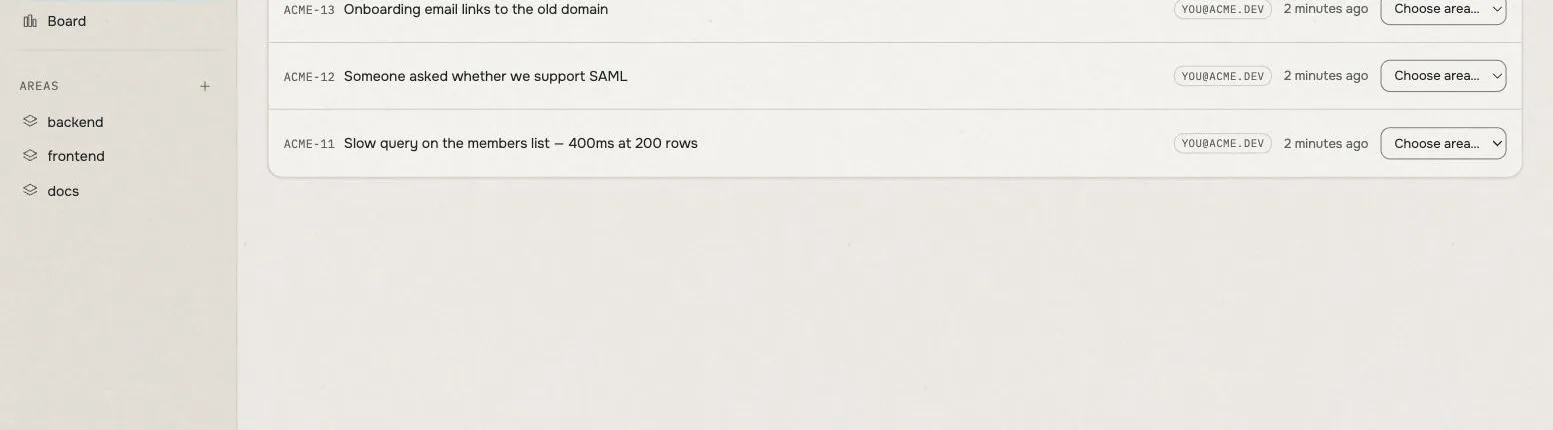
Sometimes you notice something and have no idea where to file it. Type a title and leave it. It lands in the Inbox and you can sort it later, or unsort it again. Nothing here is one-way.
What changes
Section titled “What changes”When you ask your AI to do something, it reads this board before it starts. What has been built, what was decided, what must not break: it is all written down, so it starts from what was already decided instead of from a guess.
When it finishes, it writes back. What it did, what blocked it, what it agreed to do next. Close the window and it is still there. A teammate’s agent, or a different AI tomorrow, reads the same board.
Both sides can do both. Anything the AI can write, you can write on the web page, and the other way round. Neither one hands off to the other; you are working on the same surface.
What you install
Section titled “What you install”None of that happens because the board is there. A board your agent can reach is still a board you keep up to date by hand.
So the other half of tuckit is a one-command install into your agent, and what it puts there is a way of working. Three things arrive with it.
- A live connection to your workspace, wired up already. No server to register, no token to carry between windows.
- Two moments. One at the start of a session, sending the agent to the
board instead of to
git log. One before it stops, turning what it noticed along the way into cards — after showing you the list. - A set of named ways of working: designing a piece of work, building it, checking it for real before calling it done, landing it, tidying up afterwards. Each one writes what it produced onto the card, rather than into a markdown file the next session will never find.
The third is the part that is easy to underestimate. It is the difference between an agent that can reach your board and an agent that leaves it true.
Claude Code, Codex CLI and Antigravity all get the same set. What you install goes through it.
Two words this site keeps using
Section titled “Two words this site keeps using”Coding agent. An AI that edits your code directly. Claude Code, Codex CLI, Antigravity and others. It doesn’t just show you code in a chat window; it opens your files, changes them, and runs things. This site shortens it to “agent”.
MCP. The name of the standard those agents use to reach tools outside themselves. tuckit follows it, which is why an agent can read and write your board without anyone building an integration first. Knowing the name is enough; you never have to learn how it works.
Past those two, there is not much new to learn. If you only ever use the web page, you need neither.
Where to go
Section titled “Where to go”What tuckit isn’t
Section titled “What tuckit isn’t”- Not a memory feature. Nothing here belongs to one conversation or one vendor’s app. Switch which AI you use and the board is unchanged.
- Not a general issue tracker. No sprints, no due dates, no estimates. Coming from Jira lists everything that’s missing.
- Not agent-only. The web page is a real product surface, not a debug view.
Not written yet
Section titled “Not written yet”So you don’t go looking:
- A changelog.
If you want the pitch rather than the manual, tuckit.dev is the place for that.